Create a competition (the organiser)
- Make sure the course is saved first (Find and add courses).
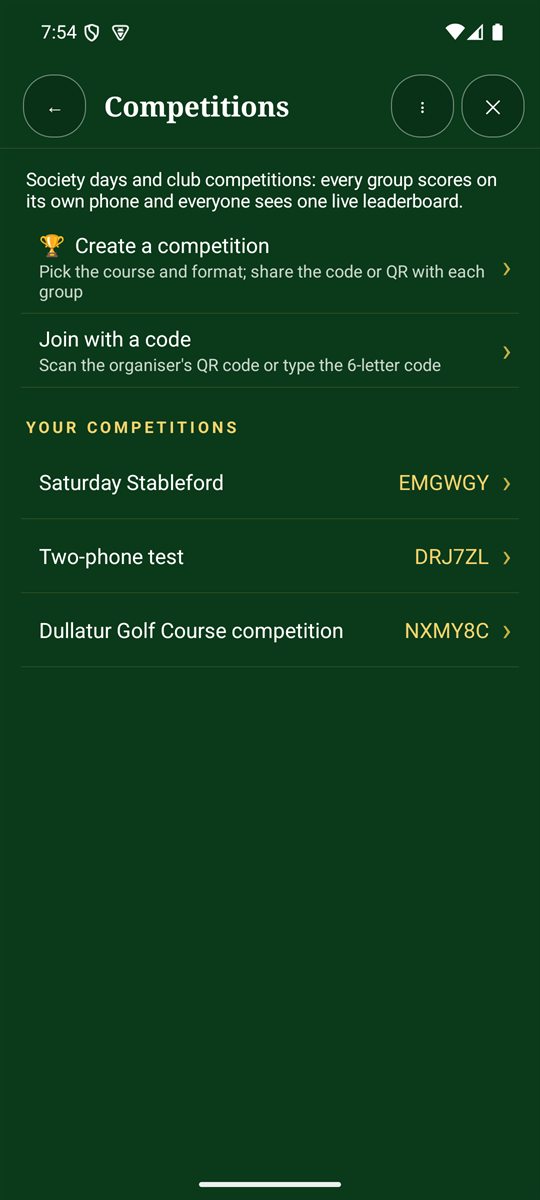
- Tap Competitions on the Home screen or in the bottom bar, then 🏆 Create a competition.
- Give it a name, pick the course and choose how it's decided: stroke, net, Stableford or par/bogey.
- You'll get a 6-letter code and a QR code. Share them with each group by WhatsApp or text, or show the QR code on the first tee.
Competitions you've created or joined are listed under Your competitions, with their codes.
As the organiser you can also set the division bands (handicap ranges, 0–12, 12.1–20 and 20.1+ to start with) and add a prize.
Enter a competition (each group's scorer)
- Start your group's round on the same course.
- Tap Join with a code, then scan the organiser's QR code or type the 6-letter code. (The organiser's own group is entered from the competition page.)
- Tap Enter our group. Choose who is scoring on this phone: their name is shown beside every card they enter and in the change log.
- Your group's scores now go to the leaderboard as you enter them.
The live leaderboard
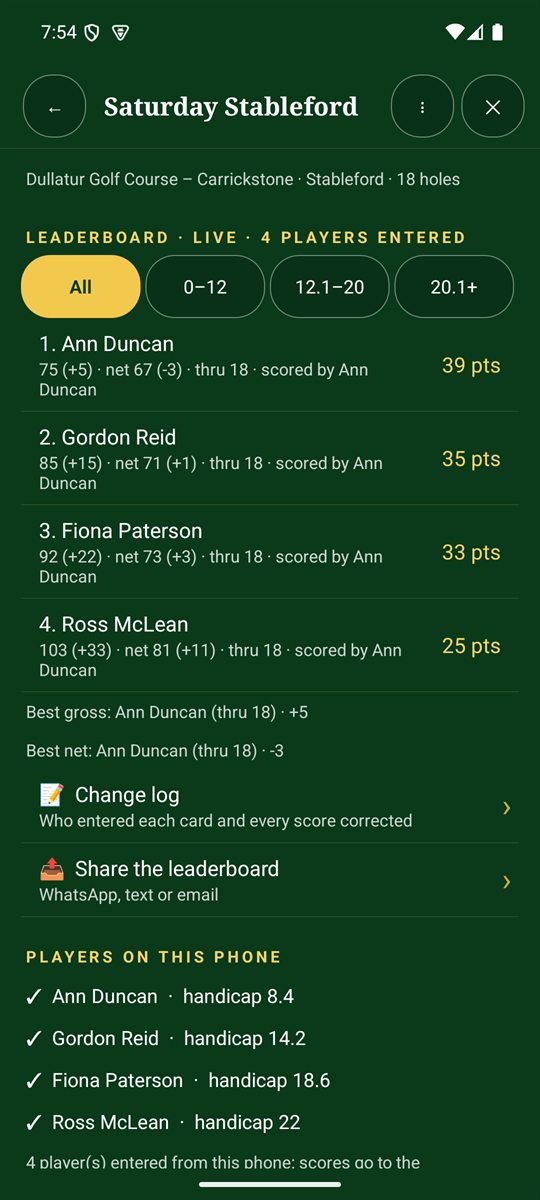
Tap 🏆 Leaderboard on any hole page to see every group's standing, updated as each hole is scored.
- Divisions: filter by handicap (for example 0–12, 12.1–20, 20.1+).
- Best gross and best net are shown underneath.
- Change log: who entered each card and every score that was corrected.
- Share the leaderboard by WhatsApp, text or email.
- Enter another group's card: add a finished card for players without the app. Scan the paper card first.
- Invite the other groups: the QR code is always at the bottom.
Signal needed: competitions share the leaderboard through the cloud, so they need mobile signal. Creating or joining one also turns on Cloud backup and shared scorecards in Options. Each player's name, handicap and hole scores are shared with the competition. See our privacy policy.