A live group card lets everyone in your group see, and enter, the same scores on their own phone. Phones link directly over Bluetooth and Wi-Fi, so it works with no internet signal.
Share your card (the scorer)
- Start the round with everyone in the group added as players. The share button appears once a round has two or more players.
- On the hole page, scroll down and tap 👥 Share this card live with your group's phones.
- Read how it works, then tap Start the live card. Allow Nearby devices if asked.
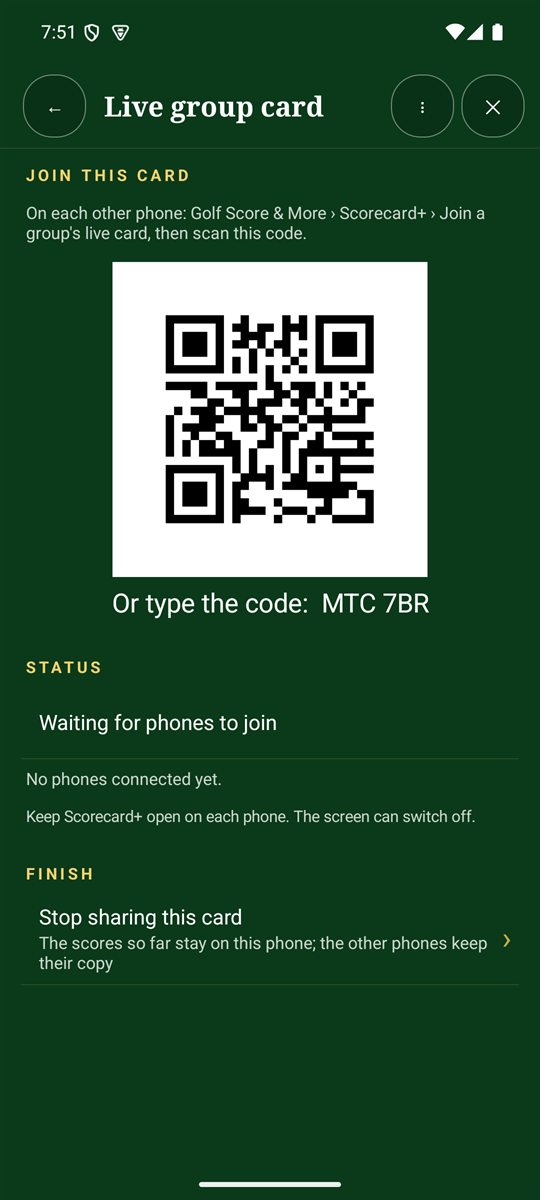
- Show the QR code to the others, or read out the code underneath. The status shows when phones join.
- When you're done, tap Stop sharing this card. The scores stay on every phone.
Only scores, putts and fairways are shared. Each player's own shot notes, GPS marks and health data stay on their phone, and nothing is stored online.
Join a card (everyone else)
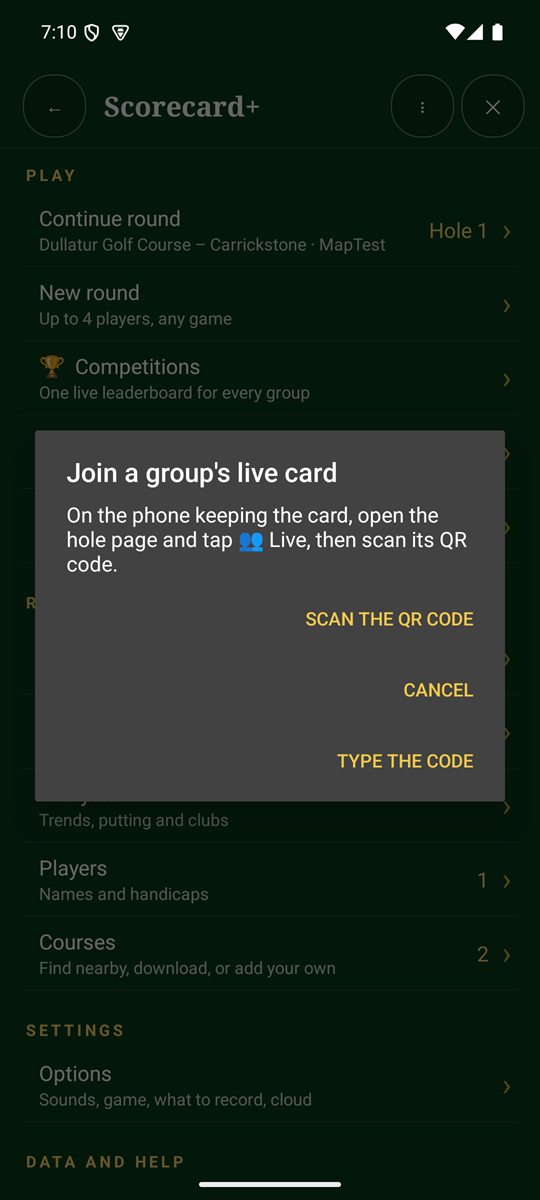
- On the Scorecard+ menu, tap 👥 Join a group's live card.
- Tap Scan the QR code and point the camera at the scorer's screen, or tap Type the code and enter the 6-letter code.
- Keep the phones close while it says Looking for the group's phone. When it says Joined the live card, you're in.
Range: keep within about 30–100 metres of each other. If you drift apart, scores catch up when you're back together at the next tee. Live cards currently work between Android phones only.