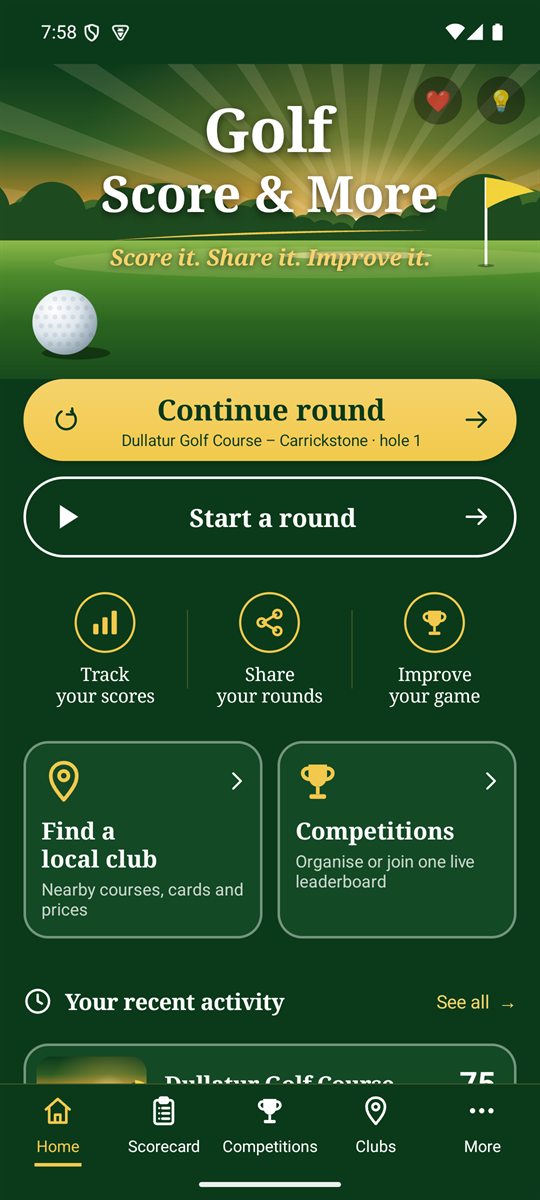
The Home screen
- Continue round: shown when a round is in progress, with the course and hole you're on.
- Start a round: set up a new round. Guide.
- Find a local club: nearby courses, cards and prices. Guide.
- Competitions: organise or join one live leaderboard. Guide.
- ❤ at the top opens health stats, and 💡 lets you suggest an improvement.
The bar along the bottom
Home, Scorecard (the Scorecard+ menu), Competitions, Clubs and More. Tap any of them to jump straight there.
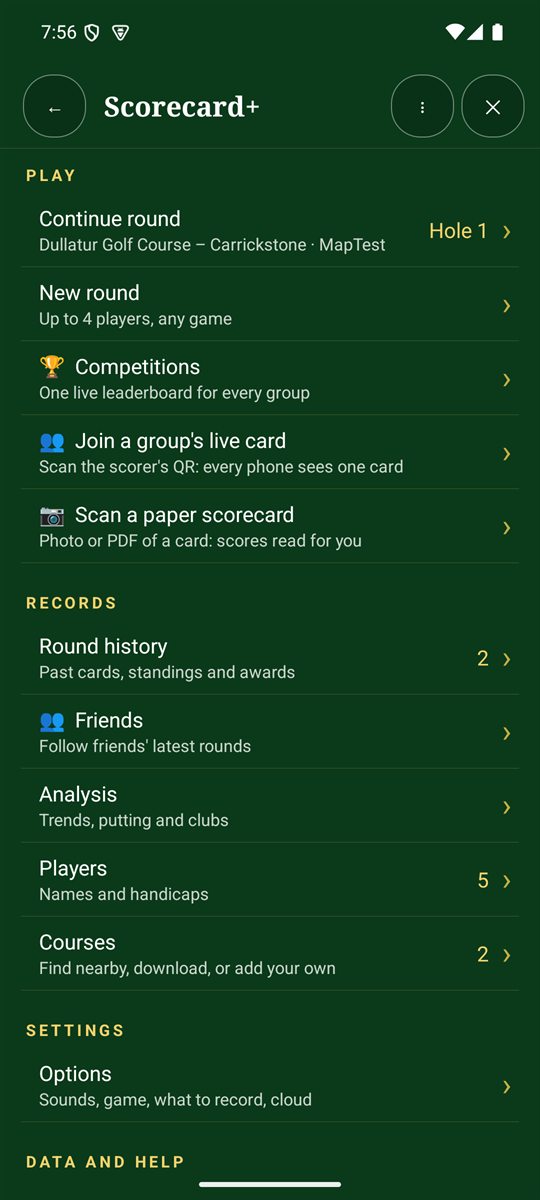
The Scorecard+ menu
Play
- Continue round and New round (up to 4 players, any game).
- Competitions, Join a group's live card and Scan a paper scorecard.
Records
- Round history, Friends, Analysis, Players and Courses. The numbers on the right show how many you have saved.
Settings, data and help
- Options: display, sounds, game defaults, what to record and cloud backup.
- Save scorecards to Downloads, Ideas and feedback and Report a problem.
Buttons on every screen
- ← goes back one screen. The phone's back gesture does the same.
- ⋮ opens Suggest an improvement and Report a problem for the screen you're on.
- ✕ closes the screen. Your scores are already saved.