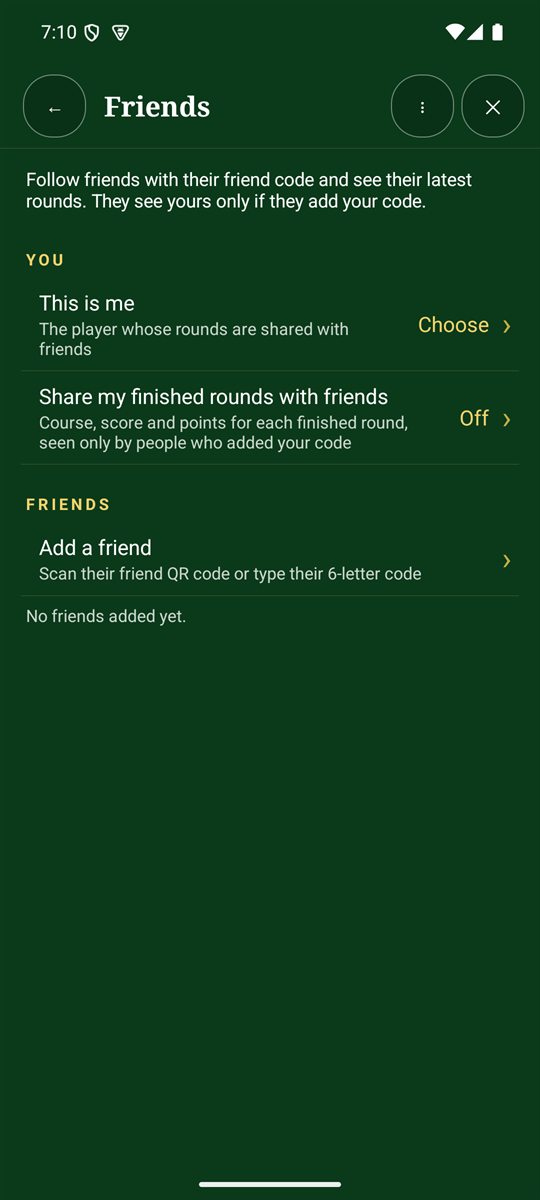
- On the Scorecard+ menu, tap 👥 Friends.
- Next to This is me, tap Choose and pick which player is you. (If you're not listed, add yourself first in Players.)
- Turn on Share my finished rounds with friends. You'll get your own friend code and QR code to give to friends.
- To follow someone, tap Add a friend and scan their QR code or type their 6-letter code.
Who sees what
- You see the latest rounds of the friends you add: course, score and points.
- They see yours only if they add your code. Adding someone doesn't share your rounds with them.
- Remove a friend at any time and you'll stop seeing their rounds.
Friends uses the cloud, so you'll need signal to add friends and see new rounds.