- Make sure the course is saved (Find and add courses).
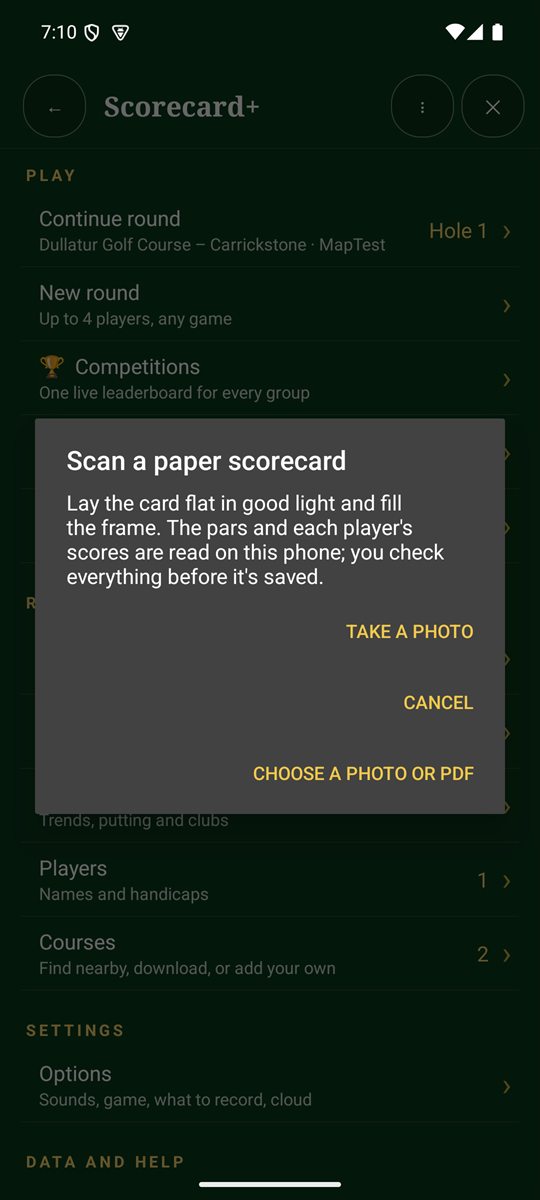
- On the Scorecard+ menu, tap 📷 Scan a paper scorecard.
- Tap Take a photo, or Choose a photo or PDF you already have.
- The pars and each player's scores are read on your phone. Check what was read, and tap a player to correct any score.
- Nothing is saved until you tap Save round.
Tips for a good scan
- Lay the card flat in good, even light, and avoid shadows across the scores.
- Fill the frame with the card and hold the phone straight above it.
- If no scores are found, add them by hand or try another photo in better light.
The card is read on your phone, so no internet data is used.