- Tap Start a round on the Home screen, or New round on the Scorecard+ menu.
- Game: choose the Style (Standard, Fun or Tour) and the Format, such as stroke play or Stableford. Turn Handicaps on for net scores, and choose whether to record putts and clubs.
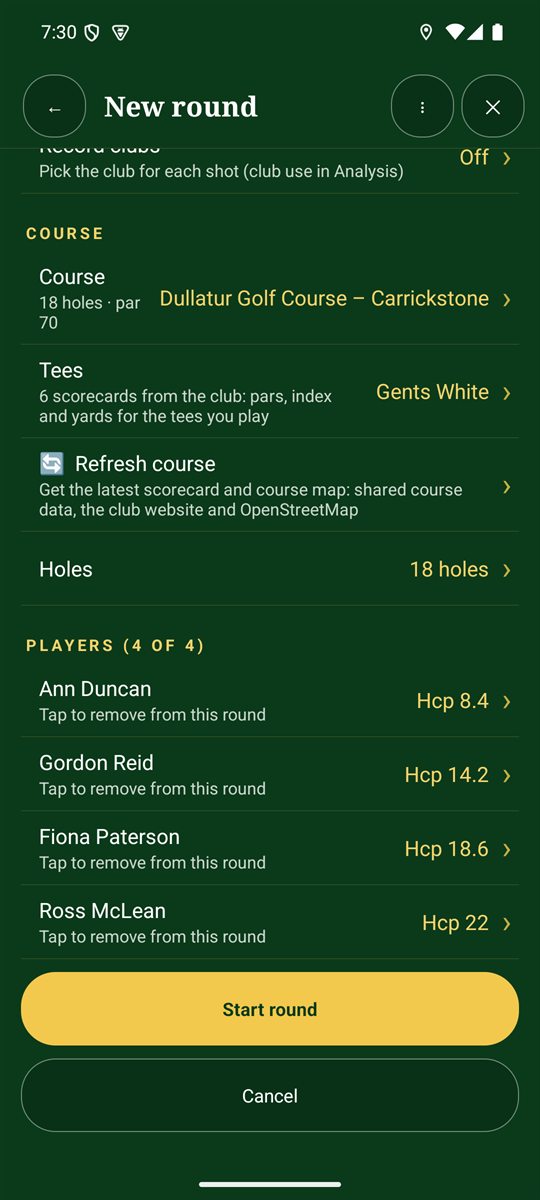
- Course: tap Choose… to pick a nearby course (GPS), one you've saved, or none. Pick your tees (for example Gents White) so the pars, index and yards match, then choose the holes: all 18, the front 9 or the back 9.
- Players: tap a saved name to add them, or Add a new player. Up to four players.
- Tap Start round.
Round styles
- Standard: full stats with quiet celebrations.
- Fun: cheers for good holes, funny noises for bad ones, and awards at the end.
- Tour: a TV-style leaderboard on every hole (for example −2 thru 7), with classy chimes.
Formats
Stroke play (gross or net), Stableford, match play, skins, par/bogey, Nassau, better ball (fourball), Vegas, Wolf and scramble. Some formats need a set number of players: match play is for two, and fourball, Vegas and Wolf are for four. See the formats at a glance.
Handicaps and net scores
With Handicaps on, each player gets strokes from their handicap on the holes with the lowest stroke index. They're shown as dots on the card.
Team games: for pairs formats, players 1 and 2 play against 3 and 4, in the order you add them. For a scramble, add each team as one player with a team handicap.
If a round is already in progress, the app asks first. Your unfinished round stays saved, and you can continue it later from Round history.